
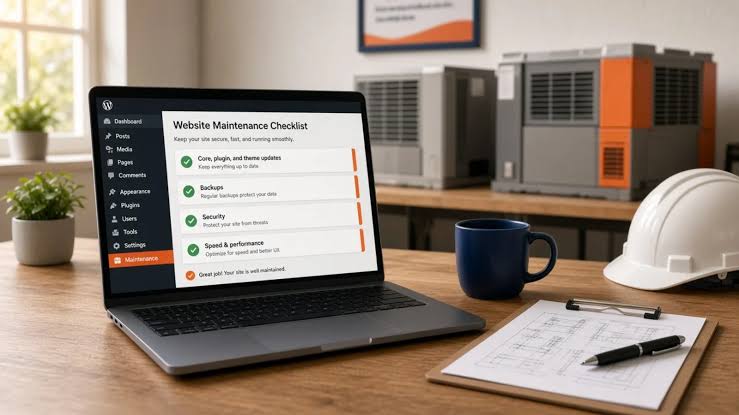
If your website takes bookings or enquiries, maintenance should verify those actions rather than merely report that plugins were updated. My comparison of website maintenance services for Lone Tree includes Lone Tree Web Solutions, Due Web Studio, WP Support Denver, WP Flora, and WP Buffs. These are local-named, Colorado-targeted, and remote options. I would choose around the site’s software and the work someone must reliably own.
Website maintenance services for Lone Tree: separate care from projects
Ask whether the agreement includes routine updates, backups, monitoring, repairs, and small content changes. A redesign or custom integration may be separate project work. I would give every candidate the same site inventory and essential user journeys, then request the boundaries of the monthly service in writing.
Lone Tree Web Solutions: broader website services
Lone Tree Web Solutions lists website maintenance alongside hosting, domain registration, responsive design, and WordPress or other content-management work. It is a starting enquiry when you prefer to discuss the website and its supporting services together.
Confirm its current service arrangements and what the maintenance schedule actually contains. The article listings at Services Insider illustrate a publishing format, without any claim about who maintains that website.
Due Web Studio: development and continuing support
Due Web Studio advertises a Lone Tree-targeted WordPress service, while its main site describes WordPress maintenance, malware removal, backups, and continuing support. Its main site is Portuguese-language, so confirm communication and delivery arrangements rather than assume a local office.
I would ask which work is preventative and which begins only after a fault is reported. A content-heavy homepage such as Beste Reisezeit Japan can inform a discussion about page templates, not establish the provider behind it.
WP Support Denver: WordPress troubleshooting
WP Support Denver publishes WordPress maintenance, theme and plugin assistance, malware removal, monitoring, and development support. It is a relevant comparison for an existing site that needs practical help with faults as well as regular updates.
Request the backup arrangements separately; a broad maintenance description does not explain retention or restoration. Beste Reisezeit Thailand supplies another public publishing layout to inspect, not a WP Support Denver portfolio example.
WP Flora: care plans with development capacity
WP Flora advertises Colorado-targeted plans covering updates, offsite backups, monitoring, security checks, reporting, and included developer time. Its published descriptions also discuss staging and ecommerce checks. Compare the actual plan, because features vary between tiers.
Ask which fixes consume the allowance and what emergency support covers. The mixed article format on Beste Reisezeit Malediven is an editorial reference only, without a claim about its platform or performance.
WP Buffs: a remote maintenance specialist
WP Buffs describes a fully remote team providing continuing WordPress maintenance, edits, emergency support, and security services. It also supplies white-label services to agencies. Consider it when physical proximity is less important than an established route for submitting work and receiving progress updates.
Clarify what counts as an edit and what requires a separate development project. Beste Reisezeit Turkei offers a further public article layout, not evidence of a maintenance relationship.
During onboarding, ask the provider to identify abandoned plugins, custom code, paid licenses, and integrations that need special handling. Decide how updates are approved and when a change is tested on staging. For a transactional site, agree whether an older backup would lose recent orders or bookings, and how that risk is managed. Keep a list of essential checks after each significant change. A monthly report should distinguish completed work, detected problems, and recommendations awaiting approval, rather than present every automatic notification as a resolved issue.
Ask to see restoration, not only backup success
WordPress documentation explains that a typical complete restoration needs both files and the database. Ask how the provider captures them, where copies are kept, and how restoration is tested. A successful backup notification is not the same as a demonstrated recovery.
I would approve the service after agreeing a reporting schedule, an escalation route, and ownership of hosting, licenses, and administrator accounts. Choose the provider that can explain what happened, what was checked, and what remains unresolved without relying on promises that a website will never fail. Keep unresolved decisions visible until someone owns them.

Related Posts

5 Best German Wearable Tech Developers in Scotts Valley – Explore smart devices designed for everyday wear

5 Best German Help Desk Outsourcing Providers in Ferndale – Explore responsive tech support for employees